Getting started
This page briefly explains how to get started with a very simple example using FramAT’s command line interface. Notice that a more detailed user guide can be found here: User guide.
First, open a terminal and simply run the command framat. A short help page should show up. FramAT has different operating modes like run and example. We can use the latter mode to create a very simple working example.
framat example
This will create a single JSON file called framat_beam.json in your local working directory. This file defines a simple cantilever beam loaded with a point load at it tip. To compute the deformation run:
framat run framat_beam.json -v
The sub-command run tells FramAT to perform a FEM analysis, followed by the analysis definition (in this case framat_beam.json). The additional flag -v will make FramAT output additional information about the execution progress on the terminal screen. An interactive plot is created.
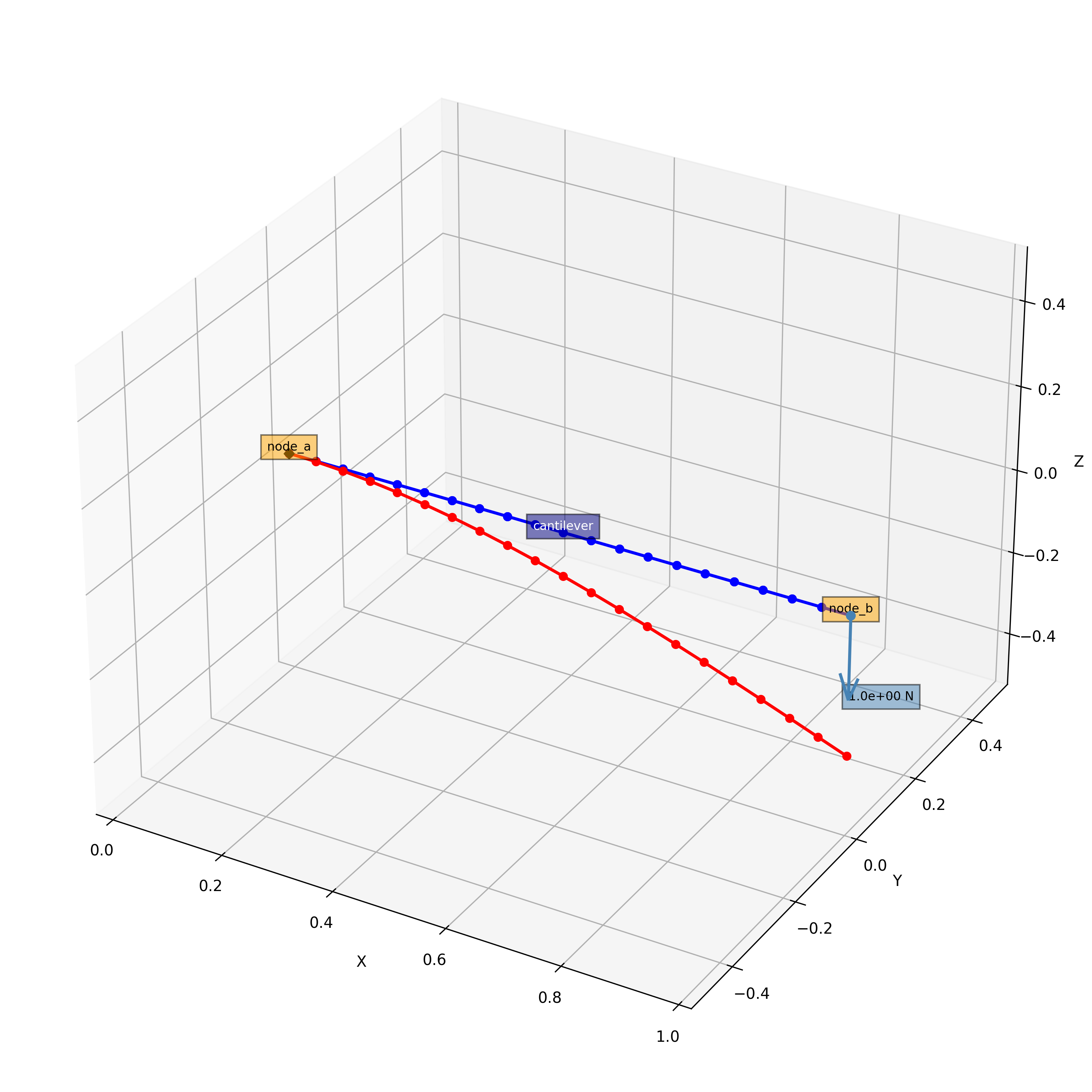
Fig. 2 Simple cantilever beam. Undeformed and deformed beams are plotted in blue and red, respectively.
Feel free have a look at the file framat_beam.json. You can try to change values in this file and re-run the analysis. However, don’t be worried if you don’t understand everything yet. More detailed instructions will be given on the following pages.